






VR or AR: What’s the Difference and Which Technology to Choose
February 21, 2026
Virtual and augmented reality have long ceased to be something from movies about the future. Today these are specific devices that you can buy and use at home - for games, work, sports or just out of interest. But when it comes to choosing, everything starts to get confusing: the headsets look similar, the names are different, the sensations are different too.
Some devices completely "switch off" the real world and transport you into digital space. Others, on the contrary, leave you in the room but add interfaces, hints or video on top of it. The difference seems obvious until you start looking deeper - and that's when it becomes important to understand exactly how each technology works and what to expect from it.
VR and AR: what actually changes for the user
Both technologies work with digital content, but they feel completely different. And the difference here is not in the specifications or the list of modes. It all comes down to how you perceive the space around you. In one case you kind of "disappear" from the room. In the other - you stay in it, just getting an extra layer of information over the familiar picture.
VR - you are completely inside the digital environment
When you put on a VR headset, reality literally turns off. The room disappears from your field of view, and instead a game, virtual trainer, workspace or, for example, a concert stage appears. This is not about adding details - this is about completely replacing what you saw a second ago.
Inside the headset there are screens and motion sensors. They track head rotation, hand position, sometimes even steps. You turn - the scene changes instantly. You lean - the perspective changes too. Everything is built on the feeling of presence: you are not just looking at the picture, you are inside it. And if everything is set up correctly, the brain quickly starts to believe what is happening.
AR - reality remains, digital layer is added
With AR everything is calmer. The world around you doesn't disappear anywhere: you still see people, the room or the street. On top of this a digital layer can appear - from notifications and voice prompts to a full image right in your field of view.
At the same time the formats differ. Some devices only supplement everyday life - camera, sound, smartphone integration without visual projection. Others really display content in front of your eyes while preserving visibility of the surrounding space. In both cases the person remains in their environment, just interacting with it a little differently. That's why AR is more often chosen for tasks where it's important not to disconnect from reality - navigation, shooting, communication or work.
VR headsets: which models exist and how they differ
When it's already clear how the technology works, the main question arises - which headset to choose. And here the differences are quite noticeable: standalone model or PC connection, lightweight format or more precise tracking, universal option or maximum image quality.
The catalog features different lines of VR devices. Each has its own usage scenario and power level. Some are suitable for the first acquaintance with virtual reality, others are designed for more demanding games and tasks. You should choose not by the name, but by how exactly you plan to use the device.
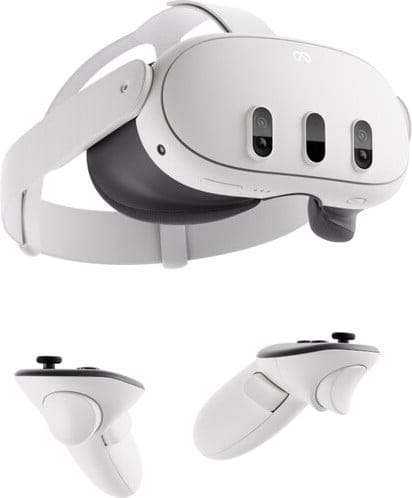
1. Meta Quest 3 512GB
Meta Quest 3 512GB belongs to standalone VR headsets that work without mandatory connection to a computer, but can be used with a PC if necessary. Virtual reality in this format completely replaces the surrounding space. This option is more often chosen for games, workouts and interactive applications where the feeling of presence is important.
The model is equipped with a Snapdragon XR2 Gen 2 processor and 512 GB of built-in memory, which allows storing a large amount of content locally. Resolution of 2208x2064 per eye and refresh rate up to 120 Hz create a clear and smooth image.
Key features:
Standalone operation without PC
Resolution 2208×2064 per eye
Refresh rate up to 120 Hz
Memory 512 GB
Wi-Fi 6 and Bluetooth
Specifications:
Compatibility: PC
Connection: Wireless
Refresh rate: 120 Hz
Built-in memory: 512 GB
Processor: Snapdragon XR2 Gen 2
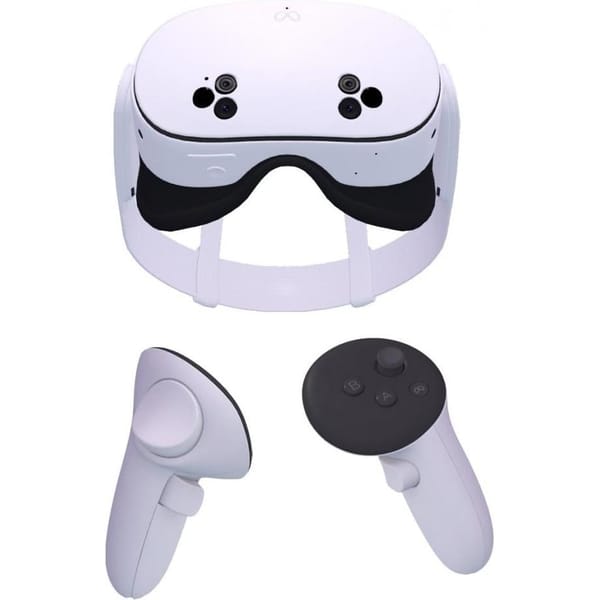
2. Meta Quest 3S 128GB
Meta Quest 3S 128GB works as a standalone VR system and can connect to a PC for more demanding applications if needed. In VR mode the user is completely isolated from real space and moves into a digital environment. The headset tracks head turns and hand movements, creating the feeling of natural presence inside the virtual world.
Resolution 3664x1920 and 120 Hz refresh rate provide a clear picture and smooth playback. Snapdragon XR2 Gen 2 processor and 8 GB of RAM ensure stable application performance, while built-in sensors including accelerometer and gyroscope are responsible for tracking accuracy.
Key features:
Standalone operation and PC connection option
Resolution 3664×1920
Refresh rate 120 Hz
Memory 128 GB
Built-in headphones and microphone
Specifications:
Compatibility: PC
Connection: Wireless
Refresh rate: 120 Hz
Built-in memory: 128 GB
RAM: 8 GB
Processor: Snapdragon XR2 Gen 2
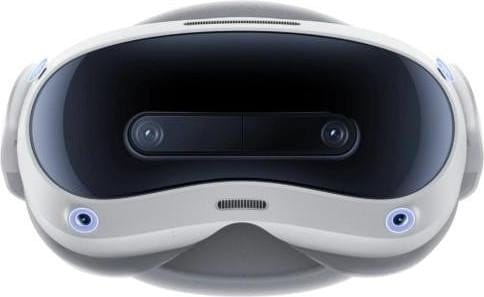
3. Pico 4 Ultra 12/256GB
Pico 4 Ultra 12/256GB is a standalone VR headset designed for use both without connection to a computer and paired with a PC. This allows using the device at home without additional equipment.
The model is equipped with IPS displays with 2160x2160 resolution per eye and 90 Hz refresh rate. Snapdragon XR2 Gen 2 processor and 12 GB of RAM ensure stable application performance. Built-in 256 GB memory is intended for storing games and other VR content. Wi-Fi 7 and Bluetooth 5.3 support expand wireless connectivity options.
Key features:
Standalone operation and PC connection when needed
Resolution 2160×2160 per eye
Refresh rate 90 Hz
Built-in memory 256 GB
12 GB RAM
Specifications:
Compatibility: PC
Connection: Wireless
Refresh rate: 90 Hz
Built-in memory: 256 GB
RAM: 12 GB
Processor: Snapdragon XR2 Gen 2
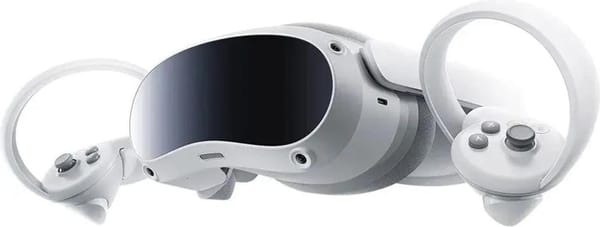
4. Pico 4 8/256GB
Pico 4 8/256GB belongs to VR headsets that can operate standalone and connect to a PC via wireless network. In virtual reality mode they completely replace the surrounding space with a digital scene. The user puts on the headset and interacts with the virtual environment through controllers and motion tracking system.
The model uses displays with 2160x2160 resolution per eye and 90 Hz refresh rate. Snapdragon XR2 processor and 8 GB of RAM ensure stable application performance. Built-in 256 GB memory is designed for storing games and other content without constant downloading. Wi-Fi and Bluetooth support allows connection to PC and additional devices without cables.
Key features:
Resolution 2160×2160 per eye
Refresh rate 90 Hz
Memory 256 GB
8 GB RAM
Wi-Fi and Bluetooth support
Specifications:
Compatibility: PC
Connection: Wireless
Refresh rate: 90 Hz
Built-in memory: 256 GB
RAM: 8 GB
Processor: Snapdragon XR2
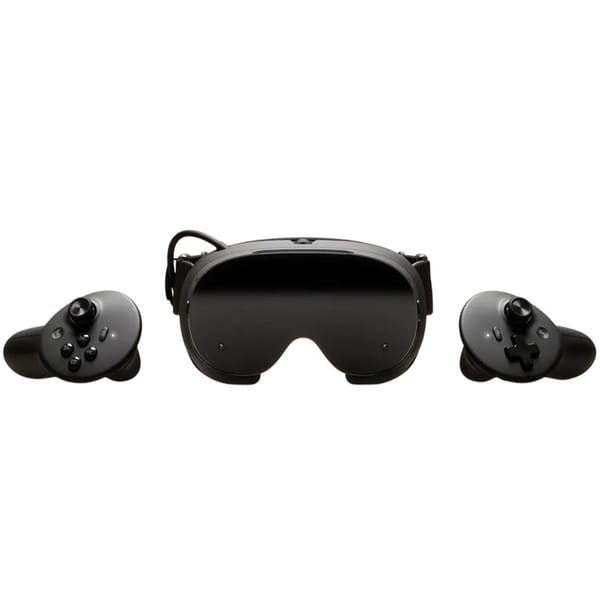
5. Valve Steam Frame
Valve Steam Frame belongs to VR devices focused on use with a personal computer. Virtual reality in this case is created thanks to high refresh rate and computing power. The headset transmits the image to the displays and tracks user movements, creating the feeling of presence in a digital environment.
Refresh rate up to 144 Hz makes the picture smoother in dynamic scenes. It is based on Qualcomm Snapdragon 8 Gen 3 processor and 16 GB of RAM. Connection is made via wireless network, which simplifies use without extra cables. The device is focused on working with VR content paired with a PC.
Key features:
Refresh rate up to 144 Hz
16 GB RAM
Wireless connection support
Focus on PC operation
Snapdragon 8 Gen 3 processor
Specifications:
Compatibility: PC
Connection: Wireless
Refresh rate: 144 Hz
Built-in memory: Yes
RAM: 16 GB
Processor: Qualcomm Snapdragon 8 Gen 3
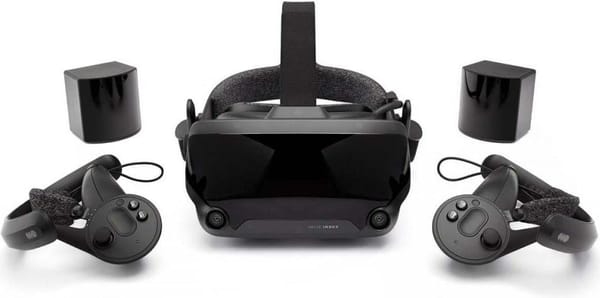
6. Valve Index VR Kit
Valve Index VR Kit belongs to virtual reality kits for PC connection. They create a digital space that completely replaces the surrounding environment, and the base station system tracks the position of the headset and controllers in the room. This format is more often chosen for stationary use where precise positioning and wide field of view are important.
The displays have 2880x1600 resolution with total refresh rate up to 120 Hz. 130-degree field of view expands the visible area, which affects the perception of virtual space. The kit includes base stations and Knuckles controllers that transmit hand movements in more detail.
Key features:
Refresh rate up to 120 Hz
Field of view 130°
External base stations for precise tracking
Knuckles controllers included
Specifications:
Compatibility: PC
Connection: Wireless
Refresh rate: 120 Hz
AR devices: which formats exist and how they differ
When the principle of augmented reality is clear, it remains to choose the format. Today AR includes different devices: there are smart glasses with camera and voice control without displaying image in the lenses, and there are models with displays that really add a digital layer to the field of view.
The catalog contains both types. Some are focused on mobility and smartphone work, others - on displaying content right in front of the eyes. Formally it is one segment, but the usage scenarios are different.
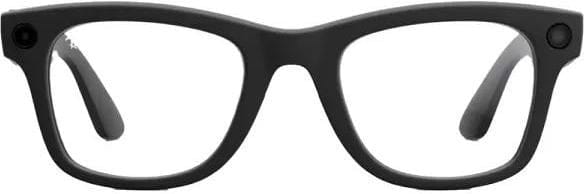
1. Ray-Ban Meta Wayfarer Gen 2 smart glasses
Ray-Ban Meta Wayfarer Gen 2 belongs to augmented reality devices that do not replace the surrounding space but supplement it with digital functions. The user continues to see the world without distortions, but gets the ability to take photos and videos, listen to sound through built-in speakers and interact with a voice assistant.
The model is equipped with a 12 MP camera with 100° field of view, which allows capturing what is happening from the first person. Built-in 32 GB memory is designed for storing photos and videos without constant synchronization. Support for Android 10+ and iOS 14.4+ ensures compatibility with most modern smartphones. Bluetooth 5.3 is used for stable connection and data transfer.
Key features:
Built-in memory 32 GB
Voice control and touch elements
Connection to smartphone via application
Compatibility with Android 10+ and iOS 14.4+
Specifications:
Built-in memory: 32 GB
Bluetooth version: 5.3
Camera resolution: 12 MP
Compatible OS: Android 10+, iOS 14.4+
Field of view: 100°

2. Ray-Ban Meta Wayfarer Matte Black Frame Graphite Lenses smart glasses
Ray-Ban Meta Wayfarer with graphite lenses work on the same augmented reality principle - the user stays in real space but gets additional digital functions. The glasses allow taking photos and videos, transmitting sound and interacting with a voice assistant without using a separate camera or headset.
The 12 MP camera captures images up to 3024 x 4032 pixels. Built-in 32 GB memory is intended for storing media files. Connection to smartphone is made via Bluetooth 5.2, and compatibility with Android 10+ and iOS 14.4+ allows using the glasses with various mobile devices.
Key features:
12 MP camera for photos and videos
Memory 32 GB
Smartphone connection via Bluetooth 5.2
Voice control
Specifications:
Built-in memory: 32 GB
Bluetooth version: 5.2
Camera resolution: 12 MP
Compatible OS: Android 10+, iOS 14.4+

3. Oakley Meta HSTN smart glasses
Oakley Meta HSTN belongs to the category of AR devices where the main focus is on shooting and smartphone interaction without the need to take it out of your pocket. The glasses preserve the usual view, while digital functions work in parallel with the real world.
Built-in 12 MP camera with 100° field of view captures photos and videos, and 32 GB memory allows storing files directly on the device. Support for Android 10+ and iOS 14.4+ ensures compatibility with different smartphones. Bluetooth 5.3 handles connection and data transfer. Built-in microphones and speakers allow recording sound and listening to audio without additional devices.
Key features:
12 MP camera with 100° field of view
Bluetooth 5.3 support
Compatibility with Android 10+ and iOS 14.4+
Built-in speakers and microphones
Specifications:
Built-in memory: 32 GB
Bluetooth version: 5.3
Camera resolution: 12 MP
Compatible OS: Android 10+, iOS 14.4+
Field of view: 100°
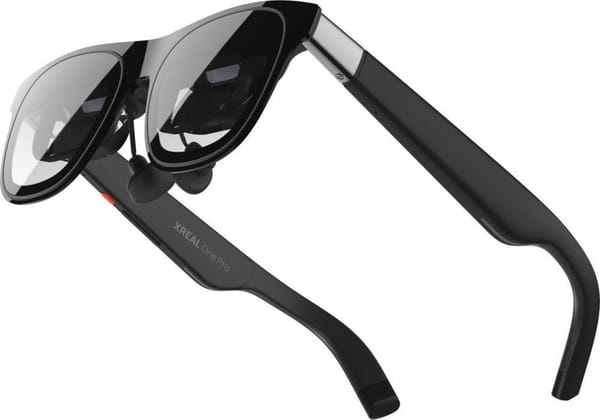
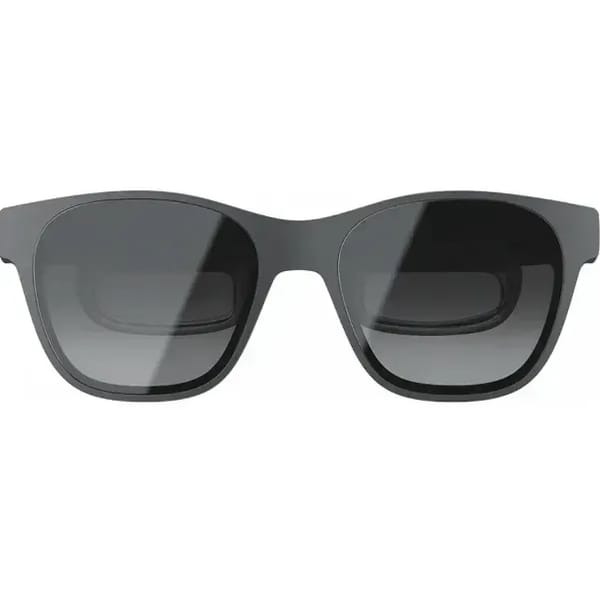
4. XREAL One Pro
XREAL One Pro belongs to augmented reality devices with emphasis on displaying a virtual screen in the field of view. Unlike VR headsets, they do not isolate the user from the surrounding world. Digital content is displayed over real space. As a result, the glasses can be used for watching videos, working with applications or connecting to a smartphone and other devices via USB-C - all without "breaking away" from what is happening around.
The design uses Micro-OLED displays with 1920x1080 resolution per eye and 120 Hz refresh rate. 57° field of view forms a virtual screen in front of the user. The XREAL X1 processor handles image processing and operation of object anchoring modes in space. The device connects to compatible gadgets via USB-C and can be used without a separate headset or controllers.
Key features:
Refresh rate 120 Hz
Field of view 57°
Connection via USB-C
Support for image anchoring in space
Specifications:
Field of view: 57°
5. XREAL Air 2 (Grey)
XREAL Air 2 belongs to AR devices that create the effect of a large virtual screen right in front of the eyes while remaining compact and lightweight. At the same time the person continues to see everything around - the room, people, desk - and digital content at the same time.
Micro-OLED displays with 1920 x 1080 resolution and 120 Hz frequency provide stable image display. 46° field of view forms a virtual screen comparable to a large monitor. Built-in speakers transmit sound without the need for headphones. Lack of built-in memory and wireless modules makes the model focused on connection to external devices.
Key features:
Micro-OLED displays 1920 x 1080
Refresh rate 120 Hz
Connection via USB-C
Built-in stereo speakers
Compact design
Specifications:
Bluetooth: No
Field of view: 46°
VR or AR - what to choose for you
The technologies have similar names but feel completely different. One format fully transports you into digital space, the other carefully adds functions to the real world. The choice usually depends not on specifications, but on how and where the device is planned to be used.
If VR format is closer
VR will suit those who want complete immersion and a separate digital space without distractions.
Games with presence effect and movement in space
Simulators, learning and training
Fitness and active applications
Watching 360° content
Use at home in a separate area without extra objects
VR is worth considering when it's important to feel that the real world temporarily disappears and attention is fully focused on the virtual scene.
If AR format is more interesting
AR is more suitable for everyday use and working with digital functions without isolation from the surrounding environment.
Shooting photos and videos from first person
Voice control and quick access to smartphone functions
Viewing notifications and navigation
Working with virtual screen over real space
Use outdoors or on the move
AR is chosen when it's important to maintain contact with the real world and simply add extra capabilities to it.
Conclusion
VR and AR solve different tasks, although the devices may look similar externally. Virtual reality fully immerses you in a digital environment - it's a separate space where all attention is directed to the screen inside the headset. Augmented reality works differently: it leaves the user in the real world and adds functions through camera, sound and content display.
The choice usually becomes clear when you honestly answer one question - do you need complete immersion or is it more important to maintain contact with the surrounding environment. For games and immersive experience it makes more sense to look toward VR. For everyday tasks, shooting and smartphone work AR is more convenient. Both technologies have already ceased to be an experiment and have become working tools - it only remains to determine which format suits your scenario.
Frequently asked questions
1. What is the main difference between VR and AR?
VR completely replaces the real world with a digital environment, while AR preserves the surrounding space and adds virtual elements to it - the difference is felt precisely in the perception format.
2. What provides stronger immersion?
VR creates a more pronounced presence effect because the user sees only the virtual scene, while AR remains "on top" of reality.
3. Can VR be used without a computer?
Yes, standalone headsets like Meta Quest 3 or Pico 4 work independently and can connect to a PC when needed.
4. Are AR glasses only suitable for entertainment?
No, models like XREAL Air 2 or Oakley Meta HSTN are often used for shooting, working with content and smartphone interaction without isolation from the surrounding environment.
5. What should a beginner choose?
If you want complete immersion and vivid impressions - better choose VR, and if mobility and everyday use without "breaking away" from reality are more important - it makes more sense to look toward AR.